
Resolved: Azure Function App Not Connecting to Storage Account & Functions Not Visible in Overview
Table of Contents
Problem Summary – Azure Function App Not Connecting to Storage Account
In a secure enterprise setup, an Azure Function App running on Elastic Premium failed to:
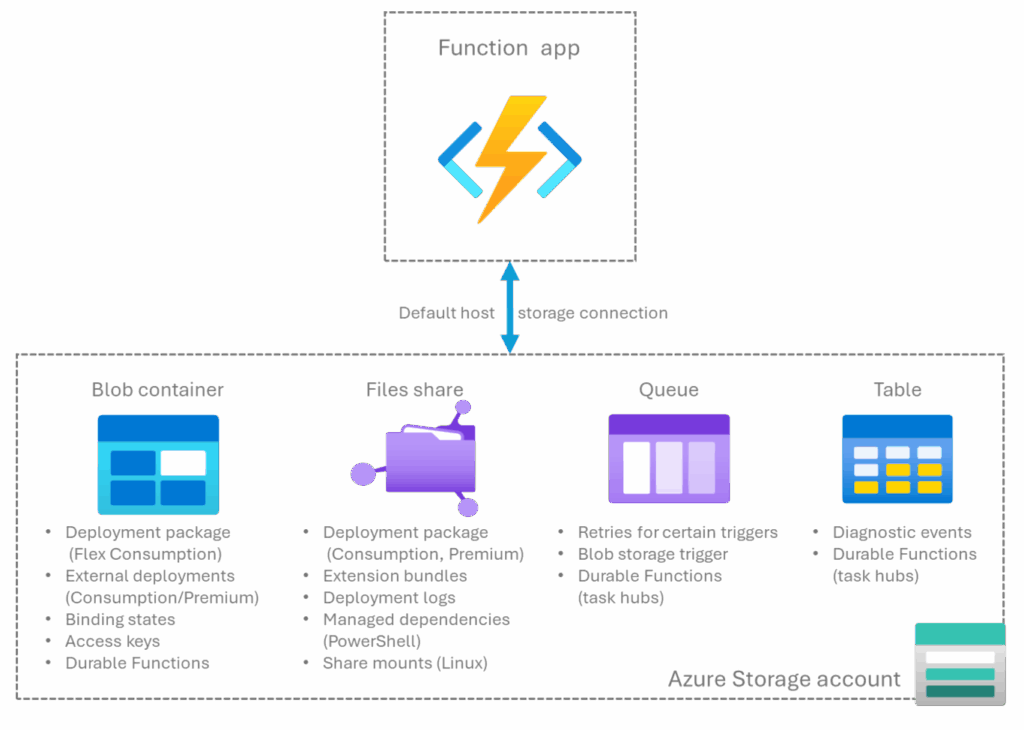
- Connect to the Azure Storage Account (host storage –
AzureWebJobsStorage) - Display functions on the Overview / Functions blade in Azure Portal
Despite successful deployment, the portal showed below error:
Azure Portal –>Resource Health–>Availability and Performance–>Functions that are not triggering

Environment Architecture
Function App Configuration
- Plan: Elastic Premium
- OS: Linux
- User Assigned Managed Identity (UMI): Enabled
- VNET Integration: Enabled
- Private Endpoint: Enabled
- Same Subscription: Yes
Storage Account Configuration
- Storage Account Key Access: Disabled
- SAS Key Usage: Disabled
- Private Endpoint: Enabled (Blob + Queue)
- Public Network Access: Disabled
This setup enforces Microsoft Entra ID (Azure AD) only authentication
Root Cause Analysis
Azure Functions always require access to a storage account for:
- Host locks
- Trigger state
- Scale controller
- Internal metadata (
azure-webjobs-hosts,azure-webjobs-secrets)
In Elastic Premium:
- Storage account keys cannot be used if disabled
- Managed Identity must be explicitly configured
- Networking must allow private traffic via VNET
If any of these are missing, the Functions runtime fails before indexing, causing:
- Storage connectivity errors
- Functions not appearing in the portal
Solution
Required IAM Roles on Storage Account (Assigned to UMI)
Assign the following RBAC roles at the storage account level:
- Storage Blob Data Owner
- Storage Queue Data Contributor
These roles are required for host operations, queue triggers, and runtime metadata access
Mandatory Application Settings (Environment Variables)
This explicitly tells the Functions runtime to use User Managed Identity instead of keys.
AzureWebJobsStorage__accountName = <storage-account-name>
AzureWebJobsStorage__credential  = managedidentity
AzureWebJobsStorage__clientId    = <User-Assigned-MI-Client-ID>
AzureWebJobsStorage__blobServiceUri  = https://<storage>.blob.core.windows.net
AzureWebJobsStorage__queueServiceUri = https://<storage>.queue.core.windows.netQueueConn__queueServiceUri = https://<storage>.queue.core.windows.net
QueueConn__credential = managedidentity
QueueConn__clientId = <User-Assigned-MI-Client-ID>AzureWebJobsFeatureFlags = EnableWorkerIndexingRequired for Python v2 programming model so the portal can discover functions.
Problem Summary – Azure Function App Not Visible in Overview
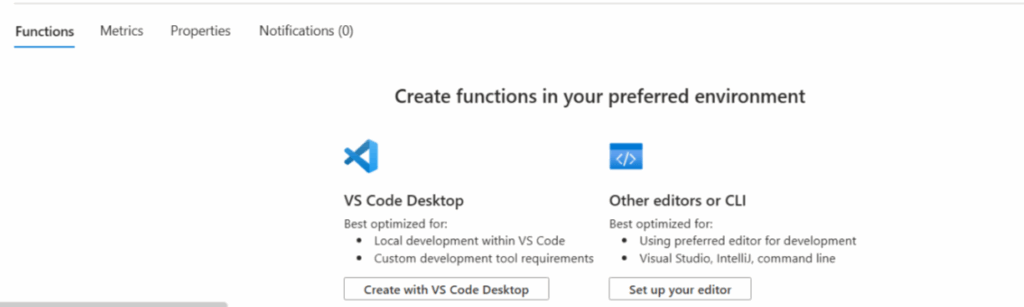
The Logs says “azure function .python_packages missing” (Azure Portal –>Resource Health–>Availability and Performance–>Functions that are not triggering)
Error: No module named 'requests', Cannot find module. Please check the requirements.txt file for the missing module. For more info, please refer the troubleshooting guide: https://aka.ms/functions-modulenotfound. Current sys.path: ['/home/site/wwwroot', '/home/site/wwwroot/.python_packages/lib/site-packages', '/azure-functions-host/workers/python/3.12/LINUX/X64', '/opt/python/3/lib/python312.zip', '/opt/python/3/lib/python3.12', '/opt/python/3/lib/python3.12/lib-dynload', '/opt/python/3/lib/python3.12/site-packages'] Traceback (most recent call last): File '/azure-functions-host/workers/python/3.12/LINUX/X64/azure_functions_worker/utils/wrappers.py', line 44, in call returnSolution
The requirements.txt installation failed because two flags were missing. The function’s environment variables lacked SCM_DO_BUILD_DURING_DEPLOYMENT: true. Since the zip upload command sets this to false, the –build-remote flag was required in the az cli command to override it.
az functionapp deployment source config-zip \
  --resource-group <ResourceGroupName> \
  --name <FunctionAppName> \
  --src <PathToZipFile> \
--build-remotePrevious Blogs
- 2026 Proven Guide: Azure SPN Secret Expiry with Automation & Graph APIhttps://www.makcloudhance.com/2026-proven-guide-spn-secret-expiry-automation/
- AKS Private Cluster: Create a Private Azure Kubernetes Service (AKS) Cluster – Part 1https://www.makcloudhance.com/configure-aks-private-cluster/
- Azure AKS Networking Explained: Critical Differences Between Azure CNI Overlay vs Node Subnet vs Pod Subnet – Part 1https://www.makcloudhance.com/azure-cni-overlay-vs-node-subnet-vs-pod-subnet/
References
- azure function .python_packages missing
- Function App not showing up on list of functions after deployment from VS Code (V2 Python Programming Model)
- How to use a secured storage account with Azure Functions
- Tutorial: Create a function app that connects to Azure services using identities instead of secrets
- Use managed identity instead of AzureWebJobsStorage to connect a function app to a storage account